Why you Need a Design System and How to Start Building your Own
What separates a UI kit from a design system, when you need each one, and how to start building your own.
JbyJordi EspinosaonUpdated
Short answer
A UI kit is one library of a project's basic styles and components: color, typography, buttons, inputs. A design system is a UI kit plus the rules and documentation around it (spacing, grids, usage guidelines, processes), so many people can build one product consistently. Start with a UI kit, and grow it into a design system only when the product and the team need it.
Before diving into technicalities, it's important to consider the difference between a UI Kit and a Design System because sometimes what you're looking for might not be a Design System, but rather a UI Kit.
What's the difference between a UI Kit and a Design System?
The difference mainly lies in the scope of the project. We can define a UI Kit as a basic sheet where you gather the most fundamental styles: colors, buttons, inputs, dropdowns - those found on the most basic scale of the Atomic Design. More information about Atomic Design can be found here.
Actually, it doesn't have to be only those on the most basic scale; you can add more complex components, but the difference in size will still be quite significant.
In a UI Kit, it's most common to have a single sheet with all the styles gathered. UI Kits usually address relatively simple products with little scalability.
As the project grows, you'll realize that you no longer need just a UI Kit but a Design System.
As the name suggests, it's a whole system where you gather all the details of the system's components. And here's the beauty of it: not only can you include components, but you can also include spacings, grid systems... essentially, where you'll create more extensive documentation.
You would use a UI Kit to collect the styles of a simple project in one place, to ensure that everything is synchronized with components and maintains its consistency.
With a UI Kit, you never intend to complicate it to the point of documenting all possible cases.
And when we talk about scalability, we're talking about a product that has a presence on iOS and Web, for example. Like Booking.
By the way, you can read the full Booking case study here.
Why does documentation matter?
When you start a project, it's important to maintain good documentation if you don't want to waste time, and in a company or project, this translates to resources and money.
Designers need to be in tune with developers, and developers with designers and product. That's why as soon as you start thinking about more detailed cases, you start documenting and expanding; you're moving beyond the UI Kit and entering the Design Systems realm.
When is it advisable to use a UI Kit or a Design System?
We briefly mentioned this before, but you simply have to decide between one or the other depending on the scale of the project, that's all.
If it's a project with little scalability, if you as a designer or developer are going to do a relatively simple web project, use a basic style sheet aka UI Kit.
If you plan to scale the project beyond a marketing landing page to a product, then this product app, then consider using a Design System to leave spaces for documentation with the developers.
This doesn't mean that UI Kits can't be used on large websites; in fact, the fewer components and the simpler everything is, the better. It's just that many times in large projects, you don't need such a high level of detail on things.
And furthermore, now we explain the big mistake of Design Systems.
What is the big mistake of design systems?
The biggest problem that exists today is unnecessarily getting big. Design Systems are useful when they are used when they need to be used. The big mistake is wanting to get big unnecessarily.
Getting big means increasing complexity, increasing use cases, and probably sacrificing consistency.
To maintain a consistent project, we must:
Either maintain a super simple style sheet, and instead of creating new components every time, first evaluate if we can reuse any of the existing ones.
Extremely well-document processes. This, obviously, is ideal but it's too time-consuming for a project with few resources because the time you spend documenting these processes, you could invest in working on the product. It's a mistake to document small projects in high detail; let's not try to be a Booking with a small product. And vice versa, let's not be a Booking with hardly any documentation. Because without communication, inconsistencies arise.
How do you start your own UI kit?
Once you understand that UI Kits are the simplest and most basic versions in each project, to create a UI Kit we will focus on that, on generating the most basic elements of each project.
A Design System is not mandatory, but a UI Kit is. Later on, we'll evaluate whether it's worth expanding it to something else, but you should always have a UI Kit at hand. It will be crucial to maintain consistency in projects.
Let's start defining:
Buttons
Inputs
Forms
Grid & layout
Color
Typography
A good idea is to create one UI Kit for the first time and save it as a template, so when you start a second project, you just have to import the first UI Kit you made and change the styles on the buttons; you don't need to think about what elements you need every time you start a new project.
For this, you can start from Koala UI: its React components are free, and we've already put a lot of thought into defining everything for you.
You just have to take that template and change the colors and styles, so if you want yellow buttons instead of orange ones, you only have to do that.
You can delete what you don't need, but at least you have a base.
The important thing is to keep it as simple as possible. Having a library with these elements is super important to maintain consistency, but the bigger it gets, the more problematic it becomes too.
Only use what you need.
How does a UI kit help a team?
Something we haven't mentioned until now is the importance of the UI Kit with teamwork. Sometimes, for whatever reason, we may be working with a team of several designers, and to prevent each one from doing things their own way, it's advisable to use these components, rules, and guidelines so that everything designer X does is the same as designer Y does.
You provide all the pieces, and they place them, they don't have to invent anything (unless you want to create a creativity or UI Kit reinvention program).
If you're a designer working in a space, a company, or a group and they're not using any of this, it's highly recommended that you guide them through this process and have them build one. This will make things easier, and in the long run and in small companies, time equals money. And wasting time equals losing money and resources.
Furthermore, as the project grows, you won't have to go element by element modifying things; you'll have everything already organized so that any change is just a matter of clicks. And consequently, validate ideas faster, optimize resources better, and so on.
What else can you do with your UI kit?
A good idea is to take this UI Kit that has served you and sell it on marketplaces to make some extra money if you want.
This is good because for many, it could be their first passive income, and for others, it might cover the most basic needs or tools.
Frequently asked questions
Is a design system the same as a UI kit?
No. A UI kit collects the styles and components. A design system adds the documentation and rules that explain how to use them, so design, development and product work from the same source.
When should you use a UI kit instead of a design system?
For simple projects that do not need to scale, such as a marketing site or a small web app. Move to a design system when the product spreads across platforms or teams and undocumented decisions start causing inconsistencies.
What should a UI kit include?
At least buttons, inputs, forms, grid and layout, color and typography. Keep it as small as you can, and reuse an existing component before you create a new one.
What is the biggest mistake with design systems?
Growing them without need. Every new component and use case adds complexity, and a small team that documents everything spends time it should spend on the product.
Can you start from an existing UI kit?
Yes, and it saves a lot of time. Koala UI's 46 foundation components are free and come with design tokens and four themes, so you can change the colors and styles and keep the structure.
Want to earn money with Koala UI? Our affiliate program is now available, read all the details and conditions of the program to start making money with Koala UI.

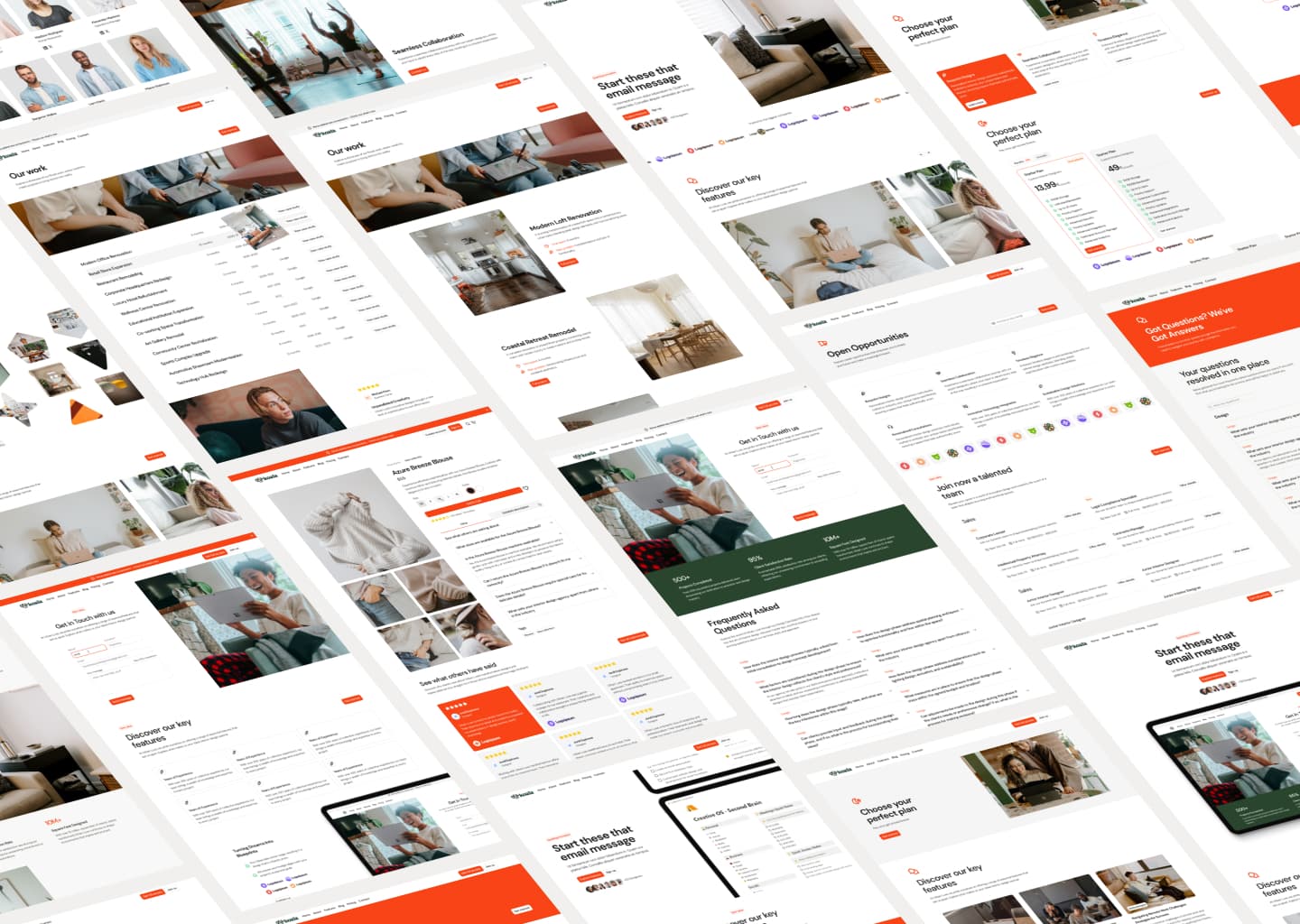
Before diving into technicalities, it's important to consider the difference between a UI Kit and a Design System because sometimes what you're looking for might not be a Design System, but rather a UI Kit.
What's the difference between a UI Kit and a Design System?
The difference mainly lies in the scope of the project. We can define a UI Kit as a basic sheet where you gather the most fundamental styles: colors, buttons, inputs, dropdowns - those found on the most basic scale of the Atomic Design. More information about Atomic Design can be found here.
Actually, it doesn't have to be only those on the most basic scale; you can add more complex components, but the difference in size will still be quite significant.
In a UI Kit, it's most common to have a single sheet with all the styles gathered. UI Kits usually address relatively simple products with little scalability.
As the project grows, you'll realize that you no longer need just a UI Kit but a Design System.
As the name suggests, it's a whole system where you gather all the details of the system's components. And here's the beauty of it: not only can you include components, but you can also include spacings, grid systems... essentially, where you'll create more extensive documentation.
You would use a UI Kit to collect the styles of a simple project in one place, to ensure that everything is synchronized with components and maintains its consistency.
With a UI Kit, you never intend to complicate it to the point of documenting all possible cases.
And when we talk about scalability, we're talking about a product that has a presence on iOS and Web, for example. Like Booking.
By the way, you can read the full Booking case study here.
Why does documentation matter?
When you start a project, it's important to maintain good documentation if you don't want to waste time, and in a company or project, this translates to resources and money.
Designers need to be in tune with developers, and developers with designers and product. That's why as soon as you start thinking about more detailed cases, you start documenting and expanding; you're moving beyond the UI Kit and entering the Design Systems realm.
When is it advisable to use a UI Kit or a Design System?
We briefly mentioned this before, but you simply have to decide between one or the other depending on the scale of the project, that's all.
If it's a project with little scalability, if you as a designer or developer are going to do a relatively simple web project, use a basic style sheet aka UI Kit.
If you plan to scale the project beyond a marketing landing page to a product, then this product app, then consider using a Design System to leave spaces for documentation with the developers.
This doesn't mean that UI Kits can't be used on large websites; in fact, the fewer components and the simpler everything is, the better. It's just that many times in large projects, you don't need such a high level of detail on things.
And furthermore, now we explain the big mistake of Design Systems.
What is the big mistake of design systems?
The biggest problem that exists today is unnecessarily getting big. Design Systems are useful when they are used when they need to be used. The big mistake is wanting to get big unnecessarily.
Getting big means increasing complexity, increasing use cases, and probably sacrificing consistency.
To maintain a consistent project, we must:
How do you start your own UI kit?
Once you understand that UI Kits are the simplest and most basic versions in each project, to create a UI Kit we will focus on that, on generating the most basic elements of each project.
A Design System is not mandatory, but a UI Kit is. Later on, we'll evaluate whether it's worth expanding it to something else, but you should always have a UI Kit at hand. It will be crucial to maintain consistency in projects.
Let's start defining:
A good idea is to create one UI Kit for the first time and save it as a template, so when you start a second project, you just have to import the first UI Kit you made and change the styles on the buttons; you don't need to think about what elements you need every time you start a new project.
For this, you can start from Koala UI: its React components are free, and we've already put a lot of thought into defining everything for you.
You just have to take that template and change the colors and styles, so if you want yellow buttons instead of orange ones, you only have to do that.
You can delete what you don't need, but at least you have a base.
The important thing is to keep it as simple as possible. Having a library with these elements is super important to maintain consistency, but the bigger it gets, the more problematic it becomes too.
Only use what you need.
How does a UI kit help a team?
Something we haven't mentioned until now is the importance of the UI Kit with teamwork. Sometimes, for whatever reason, we may be working with a team of several designers, and to prevent each one from doing things their own way, it's advisable to use these components, rules, and guidelines so that everything designer X does is the same as designer Y does.
You provide all the pieces, and they place them, they don't have to invent anything (unless you want to create a creativity or UI Kit reinvention program).
If you're a designer working in a space, a company, or a group and they're not using any of this, it's highly recommended that you guide them through this process and have them build one. This will make things easier, and in the long run and in small companies, time equals money. And wasting time equals losing money and resources.
Furthermore, as the project grows, you won't have to go element by element modifying things; you'll have everything already organized so that any change is just a matter of clicks. And consequently, validate ideas faster, optimize resources better, and so on.
What else can you do with your UI kit?
A good idea is to take this UI Kit that has served you and sell it on marketplaces to make some extra money if you want.
This is good because for many, it could be their first passive income, and for others, it might cover the most basic needs or tools.
Frequently asked questions
Is a design system the same as a UI kit?
No. A UI kit collects the styles and components. A design system adds the documentation and rules that explain how to use them, so design, development and product work from the same source.
When should you use a UI kit instead of a design system?
For simple projects that do not need to scale, such as a marketing site or a small web app. Move to a design system when the product spreads across platforms or teams and undocumented decisions start causing inconsistencies.
What should a UI kit include?
At least buttons, inputs, forms, grid and layout, color and typography. Keep it as small as you can, and reuse an existing component before you create a new one.
What is the biggest mistake with design systems?
Growing them without need. Every new component and use case adds complexity, and a small team that documents everything spends time it should spend on the product.
Can you start from an existing UI kit?
Yes, and it saves a lot of time. Koala UI's 46 foundation components are free and come with design tokens and four themes, so you can change the colors and styles and keep the structure.
Sources